Response Review and QA
Once your survey is ready, this page helps you target the right audience and collect responses steadily.
Note
Once distribution starts, tasks may enter an execution queue and consumption is typically irreversible. Validate your survey with a small pilot first.
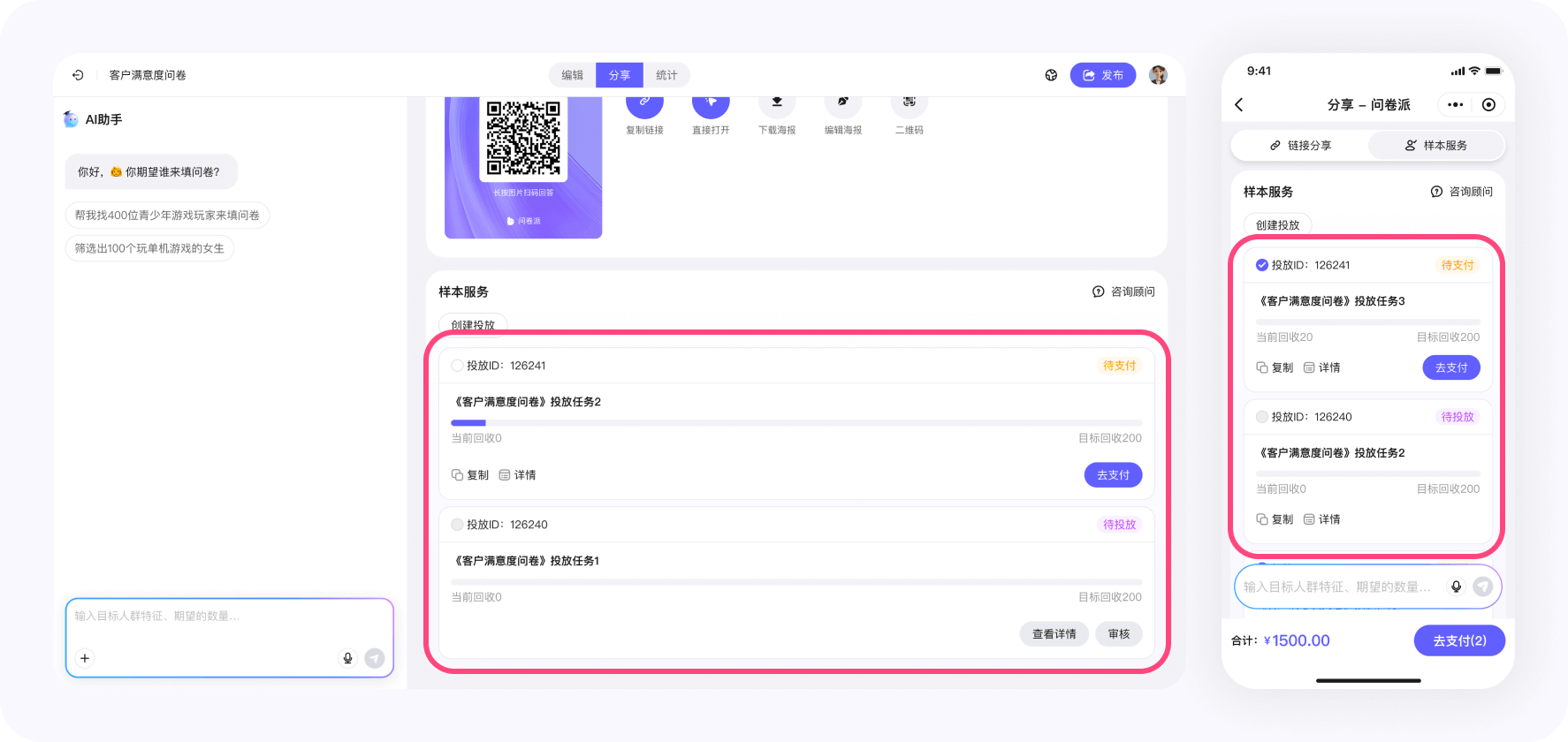
This page explains collection status and review mechanisms after a panel distribution. It helps you understand what each response goes through before it becomes eligible for analytics and settlement.
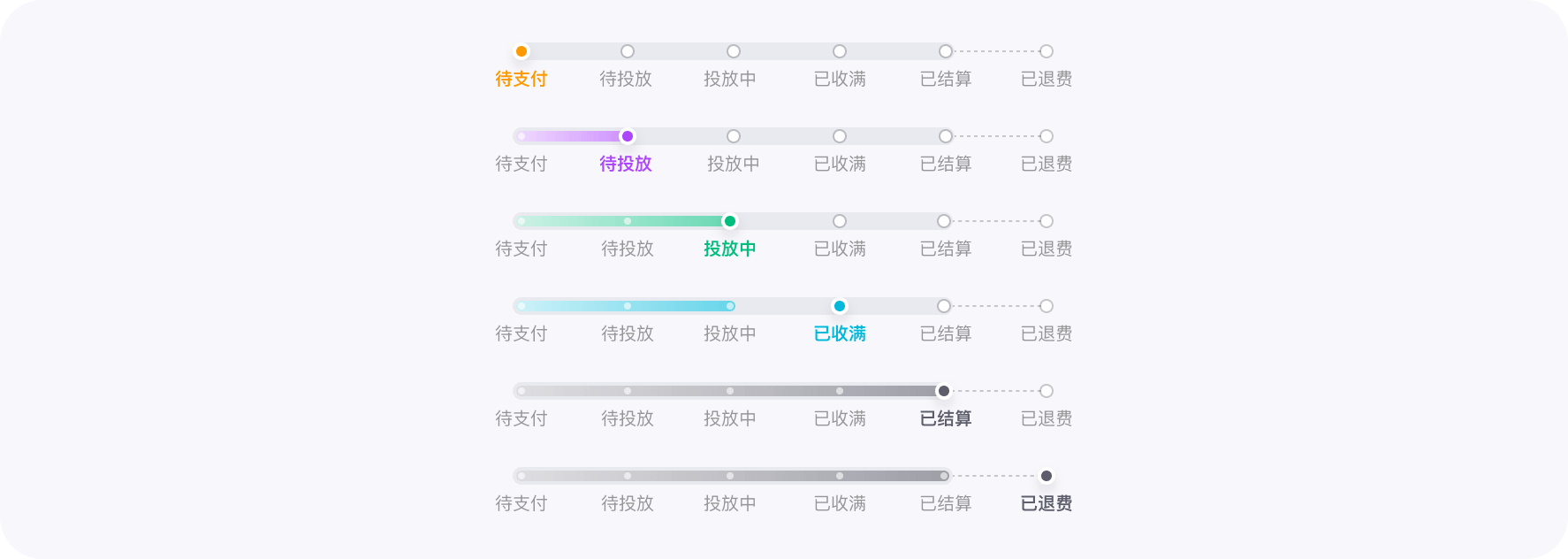
A distribution task can show the following statuses (consistent with the labels in the UI):
-
Pending payment
The task is created but not paid. No collection will start. -
Pending launch
Payment is complete and the task is ready. The system will begin pushing the survey. -
Collecting
Responses are being collected continuously. You can see progress in real time. -
Settled
Responses are settled and become analyzable. -
Settled (with refund)
Settlement is complete and a refund is generated (e.g., invalid completes or unused budget).
Wejot handles sample quality in two layers.
1) Pre-submission interception
Before a response is submitted, the system intercepts obviously invalid completes. Intercepted data does not enter analytics and does not count as valid completes.
2) A review window per response
For responses that are successfully submitted, Wejot keeps a per-response review window up to 48 hours.
- The window starts from the submission time of that specific response
- It is independent of whether the distribution task has ended
During the window, the platform combines rule checks and manual review to handle a small number of edge cases.
If a response is not marked invalid within the window, it will automatically pass review and enter settlement.
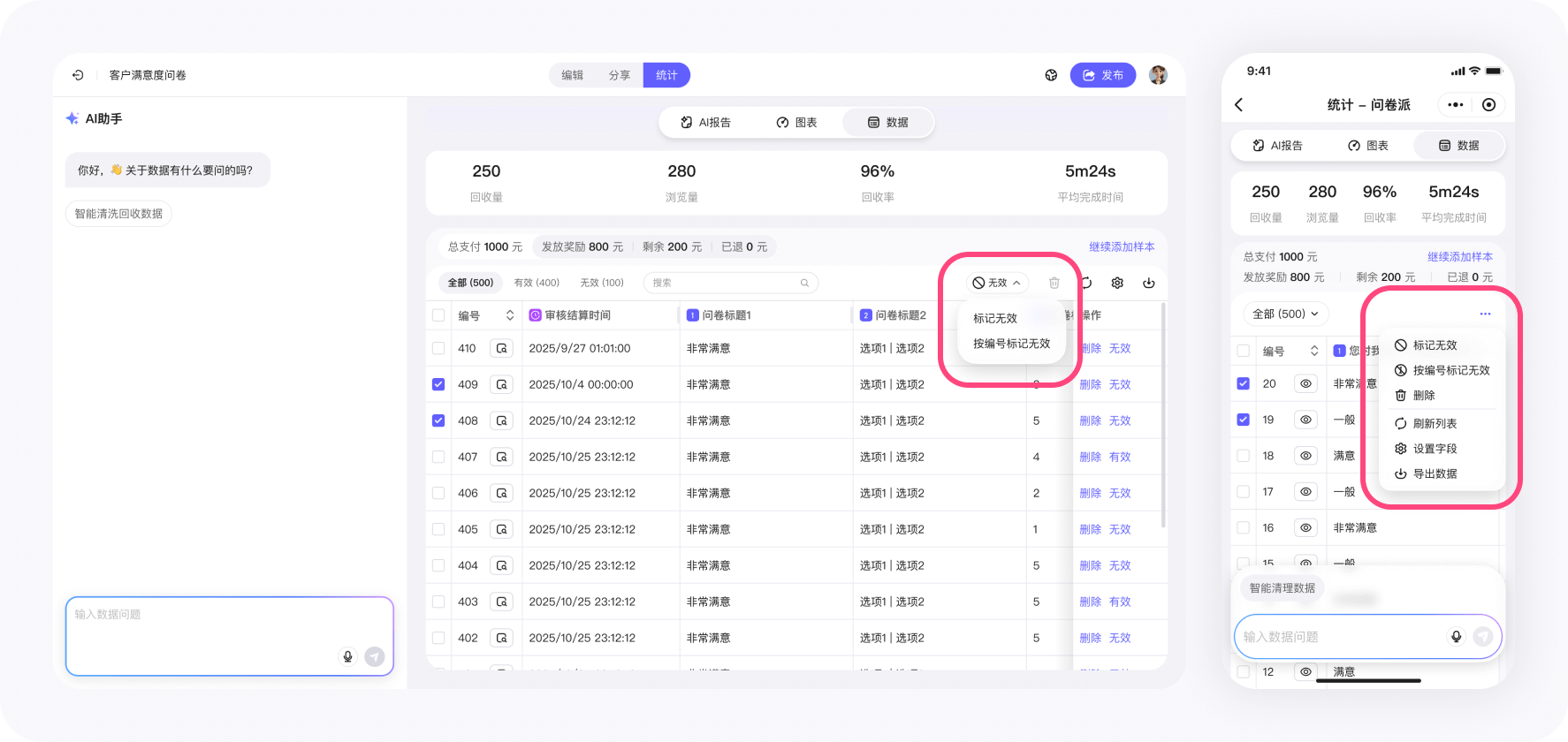
In Analytics → Data, you can:
- View the full answers of a single response
- Mark responses as invalid (bulk supported)
- Undo invalid markings
- Export data for analysis
Responses marked invalid do not count as valid completes and do not participate in analytics.
Can I request an invoice?
After the order is completed, submit invoicing information (entity, amount, invoice type, etc.) following the UI guidance.
After review, we will arrange the invoice.
When will remaining fees be refunded?
How soon will I see responses after payment?
you can start seeing responses as fast as within 1 day,
with an average collection cycle of 3–4 days.
I launched with the wrong criteria. Can I modify it?
then launch a new one after confirmation.
Completes that have already been collected and rewarded are not refundable.
Why did the task end before reaching my target completes?
Try relaxing some tags or broadening the audience range, then launch again.
How do you prevent sending the same survey to the same person in a second launch?
No extra setup is required.