Response Review and QA
Once your survey is ready, this page helps you target the right audience and collect responses steadily.
Note
Once distribution starts, tasks may enter an execution queue and consumption is typically irreversible. Validate your survey with a small pilot first.
This page explains collection status and review mechanisms after a panel distribution. It helps you understand what each response goes through before it becomes eligible for analytics and settlement.
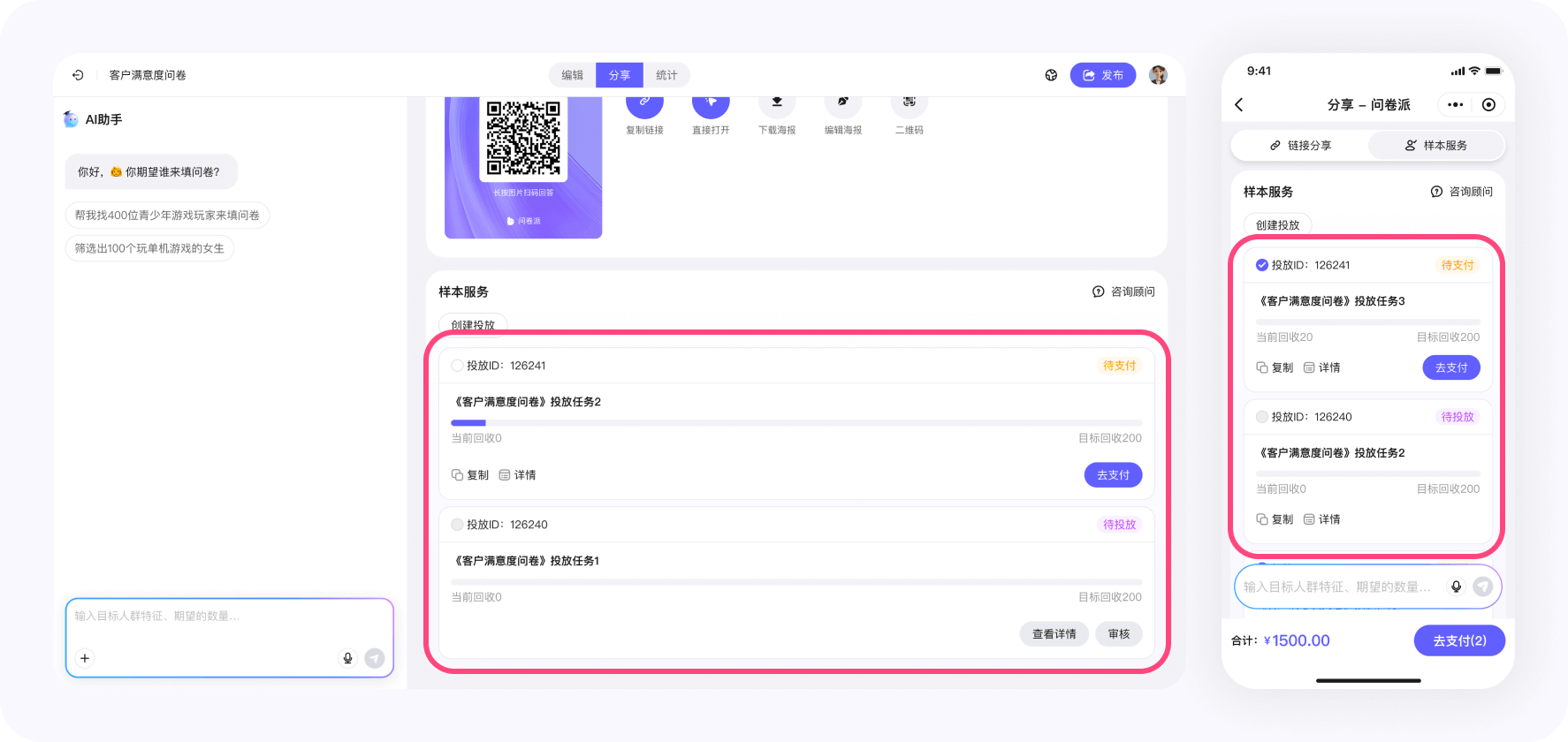
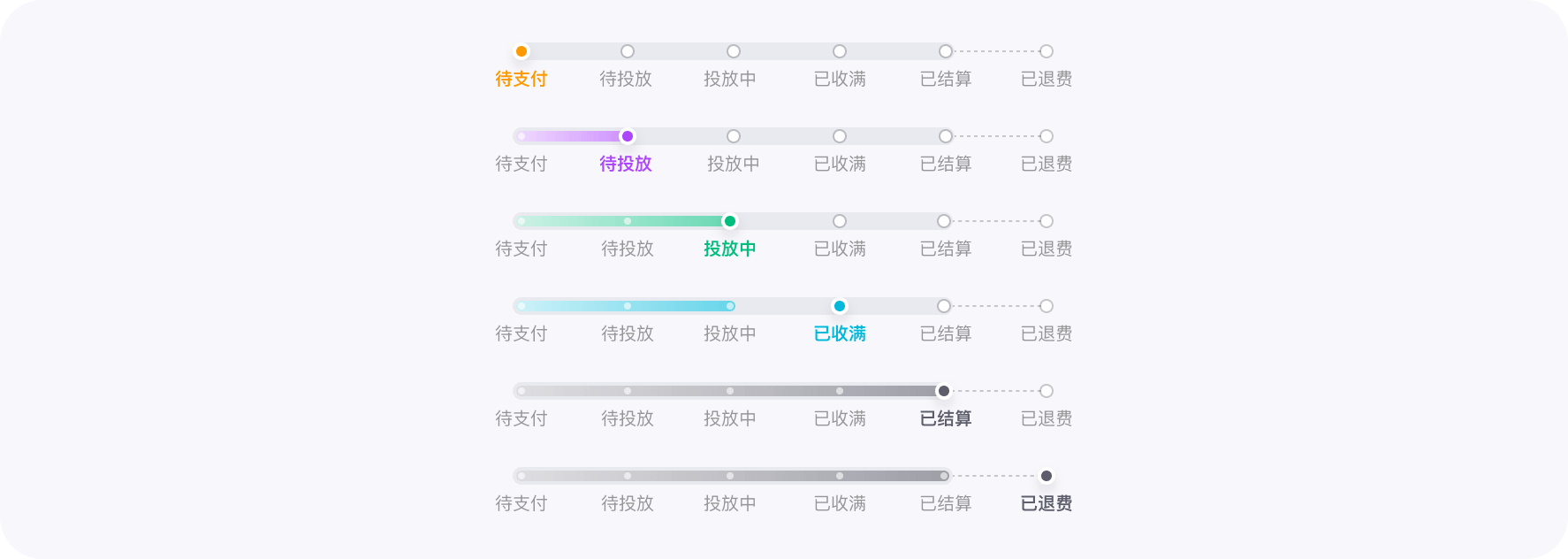
A distribution task can show the following statuses (consistent with the labels in the UI):
-
Pending payment
The task is created but not paid. No collection will start. -
Pending launch
Payment is complete and the task is ready. The system will begin pushing the survey. -
Collecting
Responses are being collected continuously. You can see progress in real time. -
Settled
Responses are settled and become analyzable. -
Settled (with refund)
Settlement is complete and a refund is generated (e.g., invalid completes or unused budget).
WeJot handles sample quality in two layers.
1) Pre-submission interception
Before a response is submitted, the system intercepts obviously invalid completes. Intercepted data does not enter analytics and does not count as valid completes.
2) A review window per response
For responses that are successfully submitted, WeJot keeps a per-response review window of 4 days.
- The window starts from the submission time of that specific response
- It is independent of whether the distribution task has ended
During the window, the platform combines rule checks and manual review to handle a small number of edge cases.
If a response is not marked invalid within the window, it will automatically pass review and enter settlement.
In Analytics → Data, you can:
- View the full answers of a single response
- Mark responses as invalid (bulk supported)
- Undo invalid markings
- Export data for analysis
Responses marked invalid do not count as valid completes and do not participate in analytics.
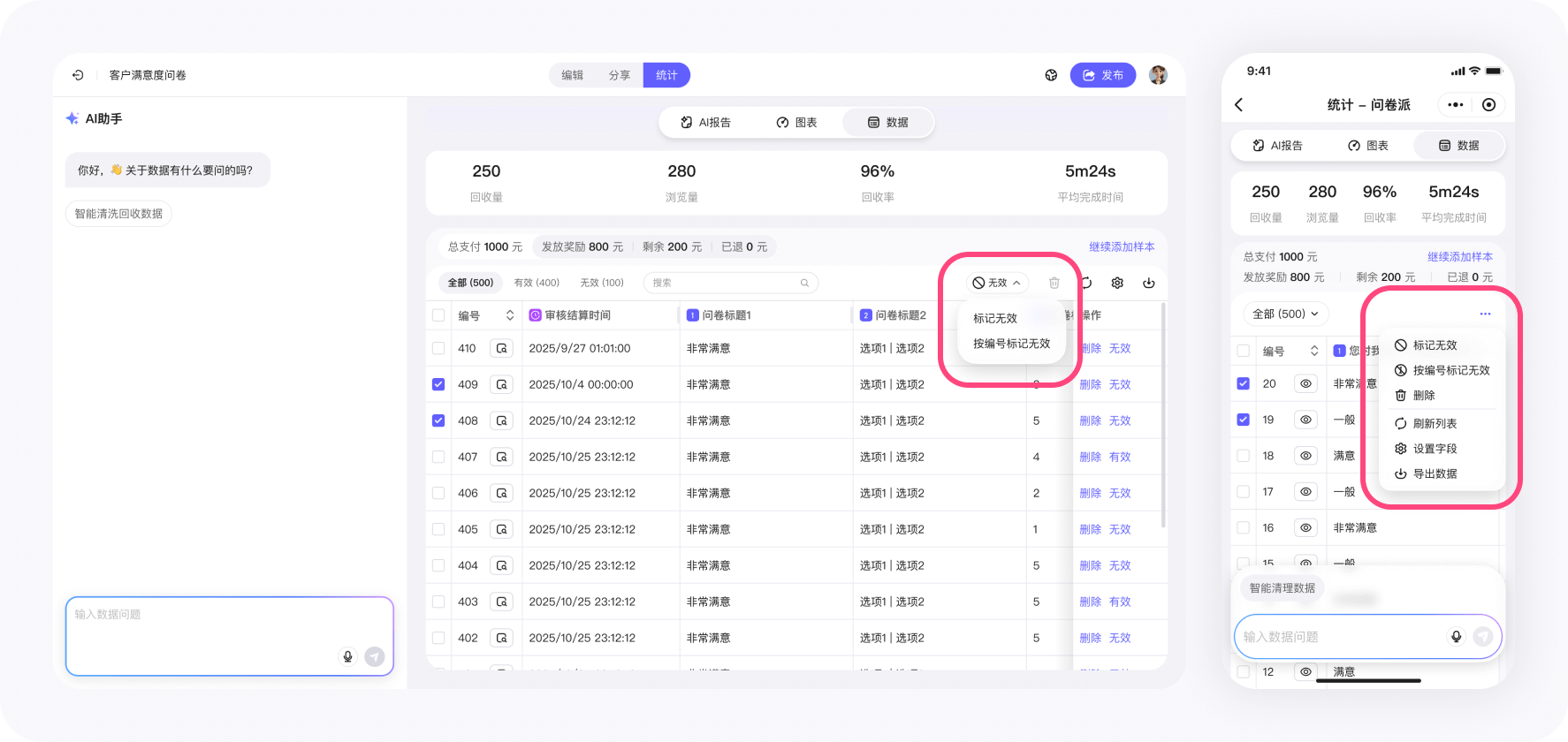
Marking responses invalid is not unlimited. For panel distribution, WeJot applies an invalid ratio cap per distribution task so that valid responses are not blocked by mistake.
- How the cap works: the total number of invalid responses in one distribution task cannot exceed 20% of the task’s sample size by default (the platform can adjust it per task). This is the limit on self-service invalid marking, not the limit on the sample quality we guarantee.
- When the cap is exceeded: responses beyond that ratio are not rejected outright; you are asked to enter a rejection reason and submit it for Customer Service review, and Customer Service completes the review within 24 hours.
- Authenticity guarantee: if a response is objectively not genuine (for example, random or nonsensical answers, or answers not given by a real person), you can still submit a claim even beyond the 20% cap; once Customer Service verifies it, the claim is approved in full and the corresponding cost is refunded to the original payment method, without exception.
- On-page notice: WeJot shows an “invalid sample ratio alert” and guides you to enter a reason and submit it for Customer Service review; attach verifiable evidence (such as the nonsensical answers).
- Expedited handling: if you need it, scan the enterprise WeChat customer service QR code below to reach a human agent, and we will prioritize your case.
- Review deadline: once a response is past its review deadline, it can no longer be marked invalid; the authenticity guarantee is not limited by the self-service cap and can still be handled through a claim.
- Undoing an invalid mark: if the task’s collection slots are already full, switching an invalid response back to valid is also rejected.
The cap applies only to self-service marking of responses collected through panel distribution; responses collected through your own sharing are not limited by the invalid ratio, and the authenticity guarantee applies there as well.
If many responses really are unusable, check your question setup and review criteria first, or submit a claim describing the problem, and Customer Service will handle it under the authenticity guarantee.
Can I request an invoice?
After the order is completed, submit invoicing information (entity, amount, invoice type, etc.) following the UI guidance.
After review, we will arrange the invoice.
When will remaining fees be refunded?
How soon will I see responses after payment?
you can start seeing responses as fast as within 1 day,
with an average collection cycle of 3–4 days.
I launched with the wrong criteria. Can I modify it?
then launch a new one after confirmation.
Completes that have already been collected and rewarded are not refundable.
Why did the task end before reaching my target completes?
Try relaxing some tags or broadening the audience range, then launch again.
How do you prevent sending the same survey to the same person in a second launch?
No extra setup is required.