Brainstorming
Don’t let the AI start drafting a survey. Let it help you figure out what you’re really asking first.
A lot of research fails not because the survey was wrong, but because nobody clarified what was being validated to begin with. Brainstorming is a built-in capability in WeJot that uses a sequence of Socratic probes to turn a vague goal into a concrete, answerable research question.
Where you’ll see it
Brainstorming is a built-in AI capability and shows up in two places:
-
The
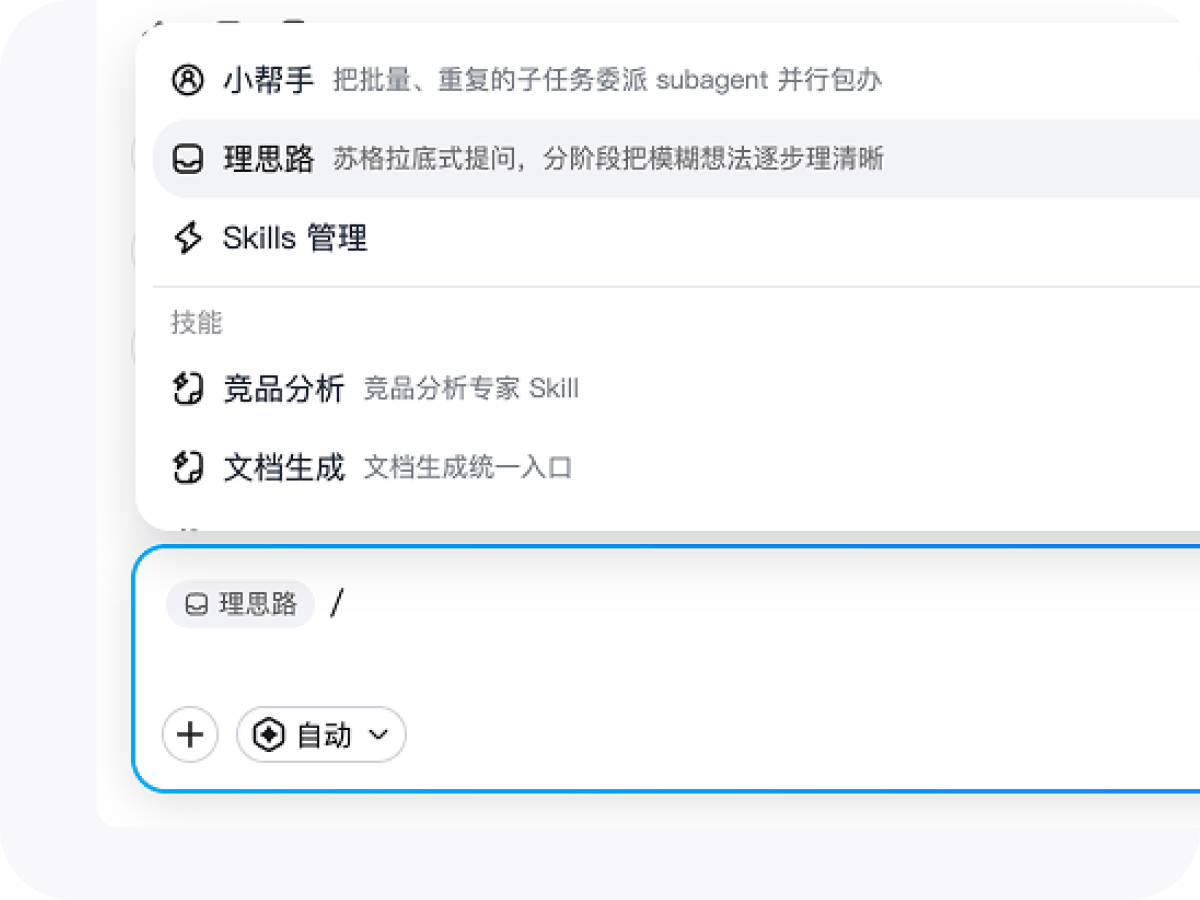
/quick-action menu in the chat inputType
/in the input box and the Skill popover opens — Brainstorming sits at the top as a built-in entry (mobile included). Once selected, a Brainstorming tag appears in the input to indicate the current turn uses this capability.
-
The right-side Brainstorming panel
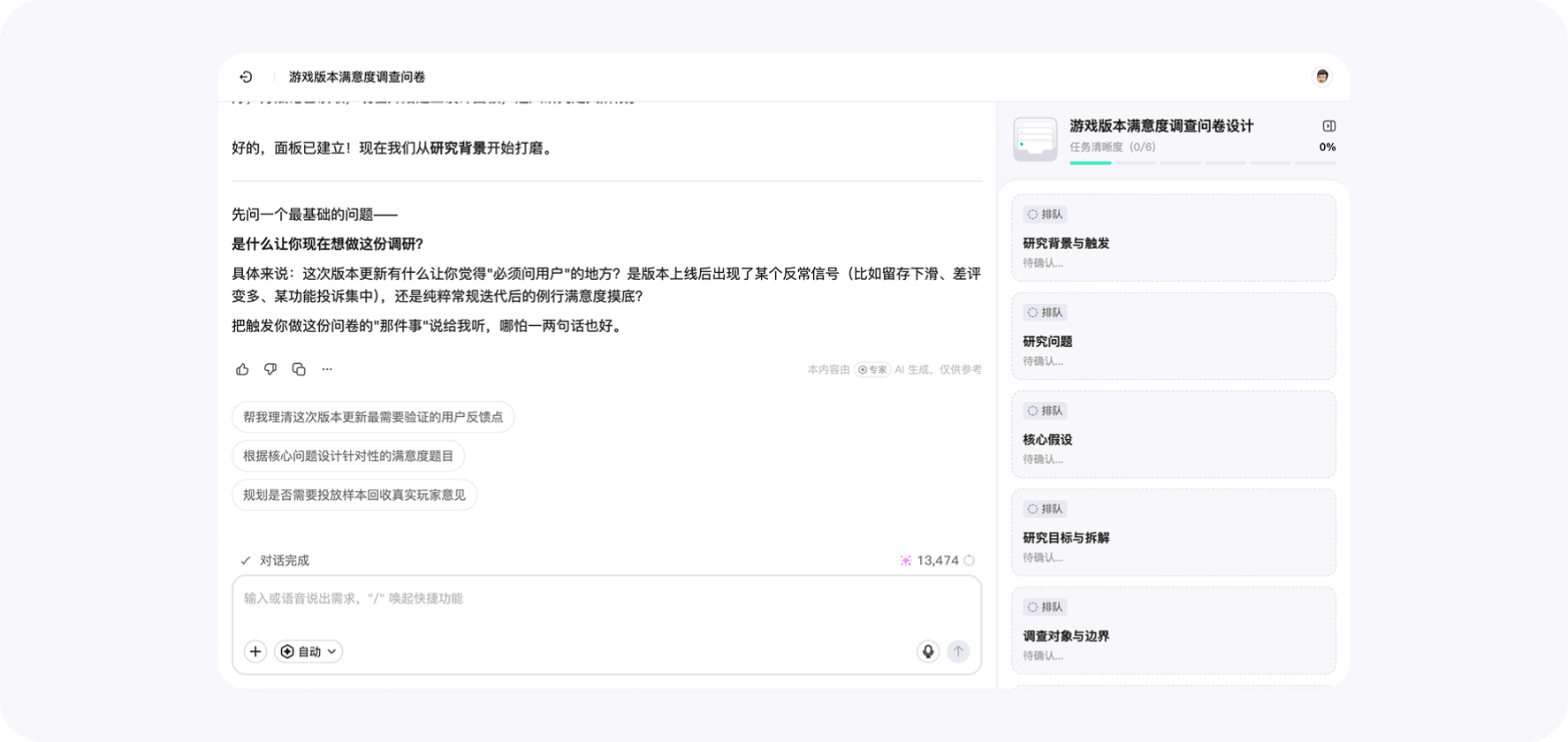
When WeJot AI Agent enters intent-mapping mode, a Brainstorming panel appears on the right of the chat and visualizes its current thinking:
- A top stage stepper — the active step is highlighted; the others reveal their name on hover.
- A clarity bar that reflects how clear the current research goal is, round by round.
- Insight cards that capture each clarified conclusion. Cards toggle between Draft and Locked; long content collapses with a smooth expand animation.
How it works
Brainstorming never returns a one-shot answer. Instead, it peels away ambiguity in a Socratic loop:
- Intent capture — restate the core research question implied by your first message.
- Hypothesis isolation — separate “what you actually want to validate” from “nice-to-know” context.
- Concept operationalization — break abstract notions into observable indicators and candidate items.
- Risk review — surface confounders, alternative explanations, and sampling risks.
- Lock-in — freeze the clarified research question, key hypotheses, and key metrics into a Locked card to drive the next step.
Each stage updates the Brainstorming panel live, so you always know how much the AI has actually understood.
When to use it
- When you start from a vague brief, like “we want to understand how users feel about the new feature”.
- When you need to align teammates on the research question before drafting any items.
- When you’re revisiting an old study that never reached a conclusion the first time.
If your research goal is already crisp, you can skip Brainstorming and let the AI proceed straight to survey design.
Relationship to the Professional Survey Design Skill
Brainstorming’s job is to make the research intent clear. The Professional Survey Design Skill — covered in Skills Management — takes over once intent is clear and translates it into a well-structured survey. Internally, Professional Survey Design will call Brainstorming whenever items risk drifting away from the underlying question, so the final survey stays anchored to the real research goal.
Try it in the WeJot web app